Help
Question guide
What each question format tests, how it is scored, and one tip. Scores are whole numbers from 0 to the question’s maximum.
Scoring models
- 0/1
- Each scorable part (an option, a row, a blank, a slot) earns 1 if correct, else 0. The question’s score is the sum.
- +/-
- +1 for each correct selection, -1 for each incorrect selection, and the score never goes below 0. The most it can earn is the number of correct options. Grouped and table formats apply this to each row, then add the rows.
- Rationale, dyad
- One sentence, two blanks: 1 point only if both are correct.
- Rationale, triad
- One sentence, three blanks sharing an anchor, usually the condition. 2 points max: the anchor must be correct, and each of the two supporting blanks then earns 1. Anchor wrong: 0.
Question formats
Multiple Choice
- What it tests
- Choosing the one best answer from 4 to 6 options.
- How it is scored
- 0/1, max 1: the correct option earns 1 point, anything else earns 0.
- Tip
- An assignment can shuffle the options. An option that points at others or at a position, such as “All of the above”, stays where you put it.
Extended Multiple Response
- What it tests
- Recognizing every finding or action that applies. Select all that apply (SATA) has 5 to 10 options with at least one correct; Select N asks for exactly N.
- How it is scored
- +/-. Max = the number of correct options.
- Tip
- Write a rationale for each option. The editor warns when every option is correct, or when an option has no rationale of its own.
Multiple Response Grouping
- What it tests
- Sorting findings by group: a table where each row (a body system, say) has 2 to 4 option cells, and the student selects all that apply in each row.
- How it is scored
- +/-, applied to each row and then summed. Max = the total number of correct cells.
- Tip
- Keep each row to one idea, so a wrong choice costs a point in that row and nowhere else.
Matrix Multiple Choice
- What it tests
- Making one call per row against a shared scale of 2 or 3 columns, such as Indicated / Contraindicated / Non-essential.
- How it is scored
- 0/1 per row: each row earns 1 point when its one selection is correct. Max = the number of rows. An unanswered row earns 0.
- Tip
- Use 2 to 8 rows. Rows can be shuffled in an assignment; the columns never move, because they are a scale.
Matrix Multiple Response
- What it tests
- Making several calls per row: rows by columns, with any number of selections in each row (at least one per row is typical).
- How it is scored
- +/-, applied to each row and then summed.
- Tip
- Use it when a finding can belong to more than one column, such as a sign seen in two conditions. If each row has exactly one answer, use Matrix Multiple Choice instead.
Drop-Down Cloze
- What it tests
- Completing prose: 1 to 3 inline drop-down blanks, each with 3 to 5 choices, usually to analyze cues.
- How it is scored
- 0/1 per blank: each blank earns 1 point when its choice is correct.
- Tip
- Make every choice fit the sentence grammatically, so the wording does not give the answer away.
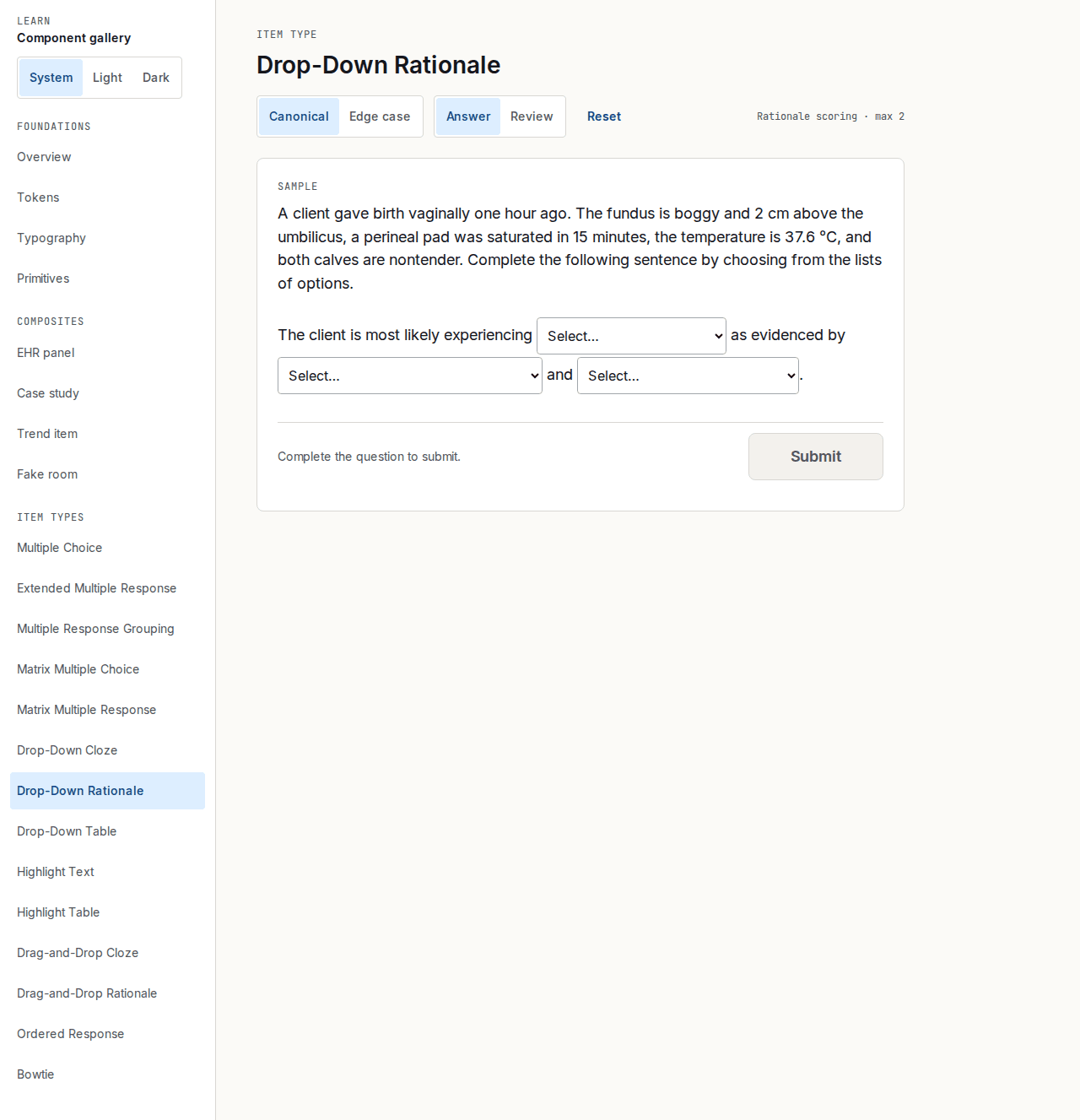
Drop-Down Rationale
- What it tests
- Linking a conclusion to its evidence in one sentence with 2 blanks (a dyad) or 3 (a triad), such as “The client is at risk for __ as evidenced by __.”
- How it is scored
- Rationale scoring. Dyad: 1 point only if both are correct. Triad: 2 points max; the anchor (usually the condition) must be correct, and each of the two supporting blanks then earns 1. Anchor wrong: 0.
- Tip
- A triad needs an anchor: tick “This blank is the anchor the others support” on the blank the other two depend on, usually the condition.
Drop-Down Table
- What it tests
- Making one choice per row of a table, where one column holds a drop-down in each row.
- How it is scored
- 0/1 per row: each row earns 1 point when its choice is correct.
- Tip
- Rows and each row's choices can be shuffled in an assignment; the column headings stay put.
Highlight Text
- What it tests
- Recognizing cues in a passage. You mark the phrases a student can select; the rest of the text cannot be selected.
- How it is scored
- +/-. Max = the number of correct phrases.
- Tip
- Give it at least 2 selectable phrases with at least 1 correct. The editor warns when more than 60% of them are correct.
Highlight Table
- What it tests
- Recognizing cues in a table, such as Assessment / Findings: the selectable phrases sit inside the cells.
- How it is scored
- +/-, over the whole question, or per row when “Score each row separately” is on.
- Tip
- The table is never shuffled, because where a finding sits is part of the answer.
Drag-and-Drop Cloze
- What it tests
- Completing prose from a word bank of 4 to 8 words dragged into 1 to 3 blanks. On a phone, tap a word and then tap a blank.
- How it is scored
- 0/1 per blank: each blank earns 1 point when its word is correct.
- Tip
- Each word can be used once, unless you turn on “Let a word fill more than one blank”.
Drag-and-Drop Rationale
- What it tests
- The drop-down rationale sentence, answered from a word bank: a dyad (2 blanks) or a triad (3 blanks).
- How it is scored
- Rationale scoring, as for Drop-Down Rationale. Dyad: 1 point only if both are correct. Triad: 2 points max, and 0 if the anchor is wrong.
- Tip
- Put plausible wrong words in the word bank for both the condition and the evidence, so neither blank can be solved alone.
Ordered Response
- What it tests
- Putting 4 to 6 steps in order, by dragging or with up and down buttons.
- How it is scored
- 0/1 for the whole question: 1 point only for the exact order. With “Give a point for each step in the right place” on, each step in its correct position earns 1 instead. It is off by default.
- Tip
- Type the steps in their correct order. Students always start from a scrambled order that is never the answer.
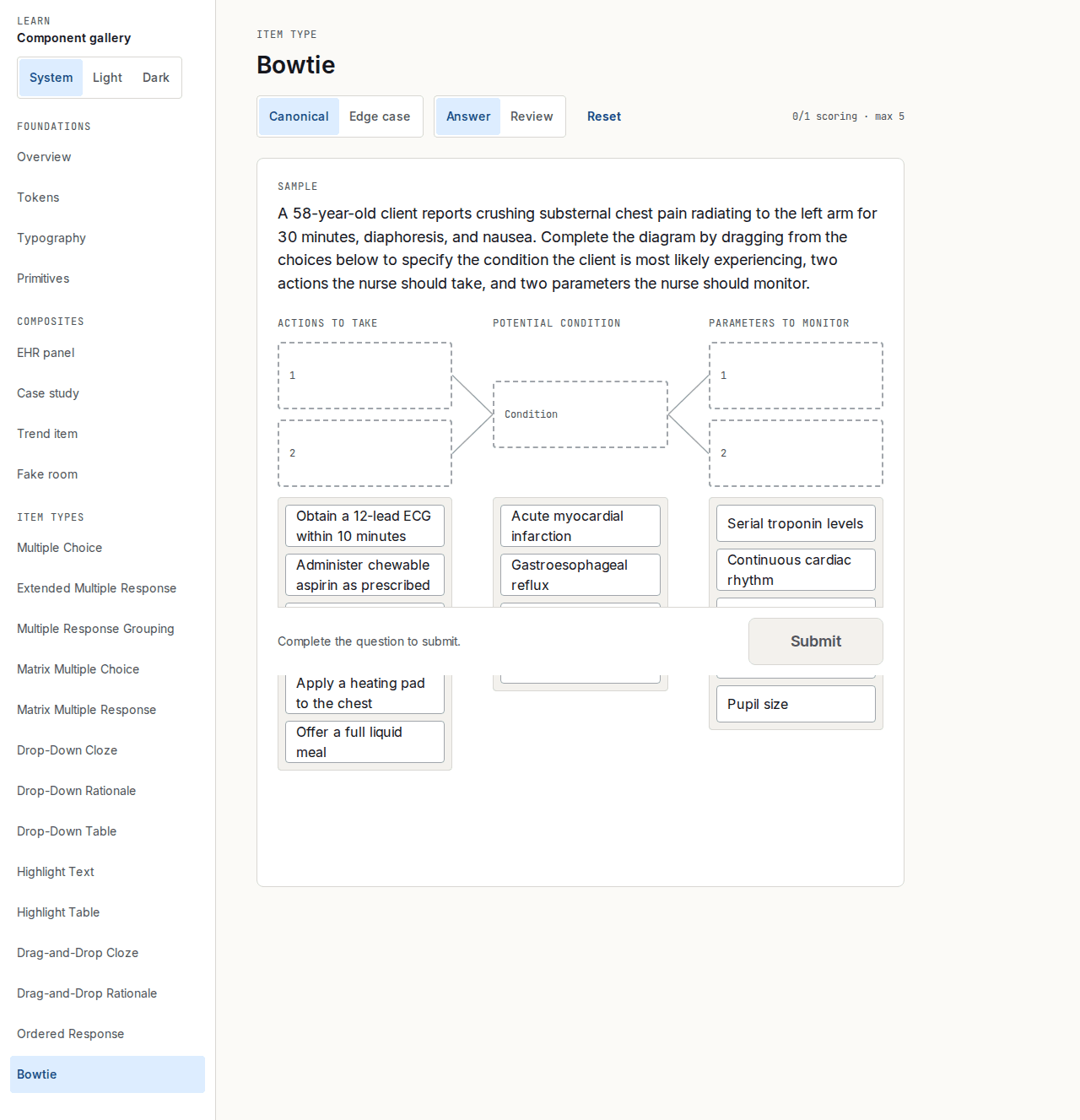
Bowtie
- What it tests
- Pulling a whole scenario together: pick the 1 potential condition from 4, 2 actions to take from 5, and 2 parameters to monitor from 5.
- How it is scored
- 0/1 per slot, 5 slots, max 5. The order within a pair does not matter.
- Tip
- Make the wrong actions and parameters fit one of the wrong conditions, so the student has to commit to the condition first.
Case studies and Trend questions
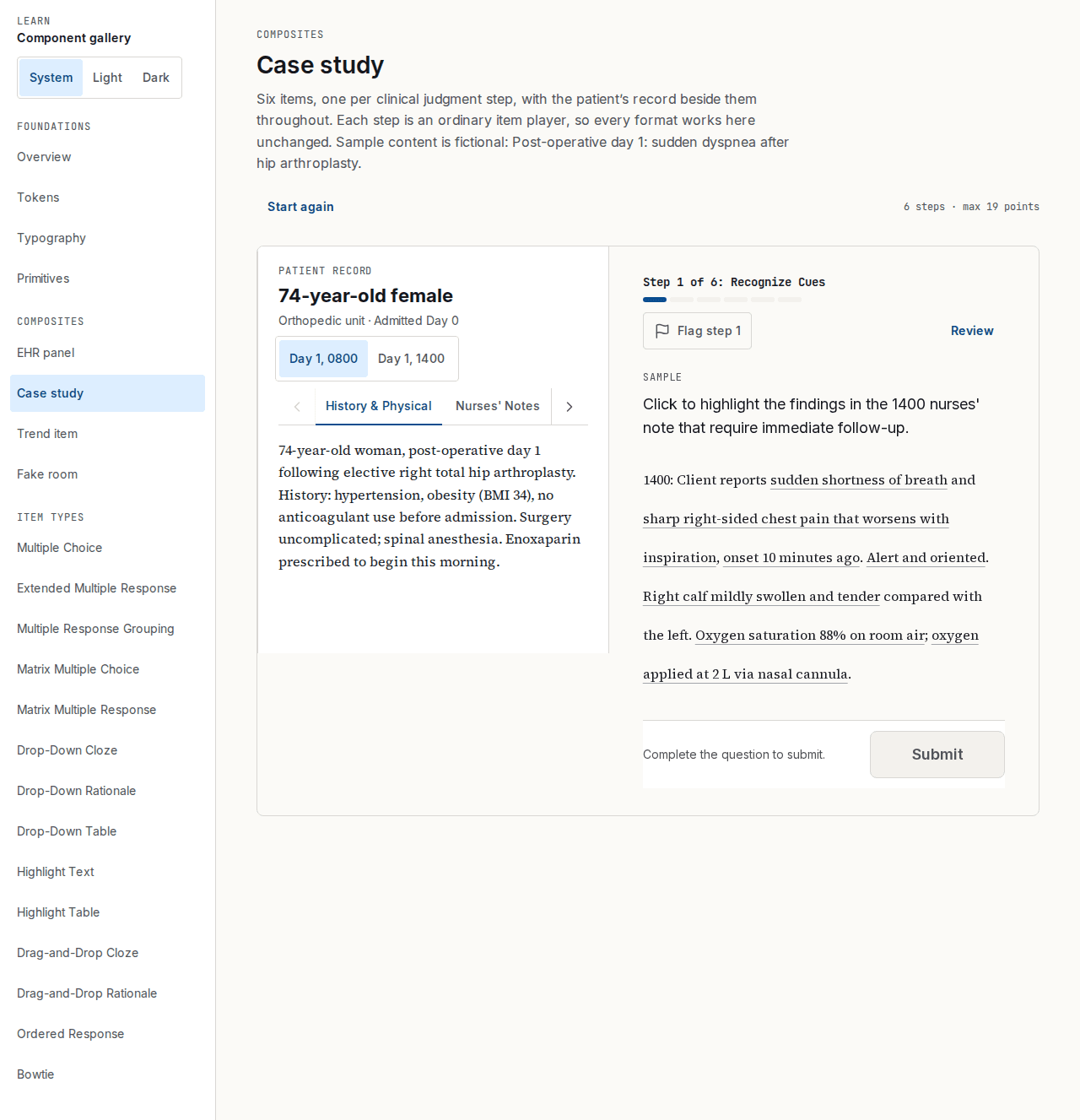
Case study
Six questions, one for each clinical judgment step, in the fixed order below. The patient record sits beside every question: a pane on a laptop, a sheet on a phone.
Build one in a quiz with Create case study. It needs exactly 6 questions, steps 1 to 6 in order, and a patient record with at least one tab.
How it is scored: Each step’s question is scored by its own format’s rule.
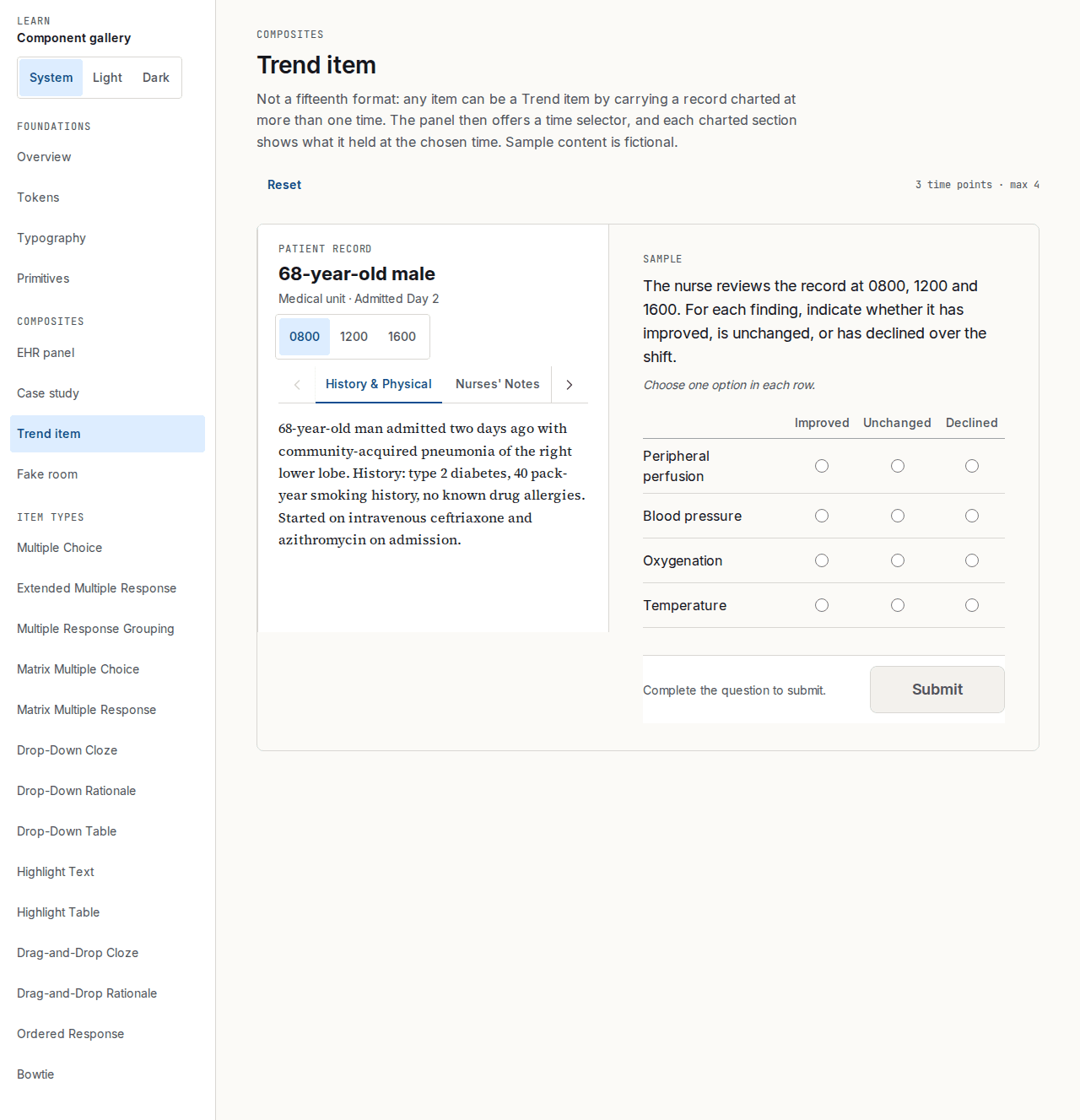
Trend question
Not a separate format: any question outside a case study becomes a Trend question when its patient record is charted at two or more times, which adds a time selector.
Use it to ask what changed, for example whether each finding improved, stayed the same or declined over a shift.
How it is scored: Scored by the rule of the format it uses.
The six clinical judgment steps
From the NCSBN Clinical Judgment Measurement Model. A case study has one question for each step, in this order. Tag any other question with the step it tests.
1. Recognize Cues
- What it asks
- Which information in the patient record matters, and which is noise?
- Typical formats
- Highlight Text or Table, select all that apply, Matrix Multiple Response.
2. Analyze Cues
- What it asks
- What could these cues mean? Link the findings to the conditions they point to.
- Typical formats
- Drop-Down Cloze or Rationale, Matrix Multiple Choice, Multiple Response Grouping.
3. Prioritize Hypotheses
- What it asks
- Which explanation is most likely, and which is most urgent?
- Typical formats
- Drop-Down Rationale, Drag-and-Drop Rationale, Select N.
4. Generate Solutions
- What it asks
- What outcomes are wanted, and which interventions could reach them?
- Typical formats
- Select all that apply, Drop-Down Table, Matrix Multiple Choice or Response.
5. Take Action
- What it asks
- Which interventions should the nurse carry out now?
- Typical formats
- Drag-and-Drop Cloze, Matrix Multiple Choice, Select N.
6. Evaluate Outcomes
- What it asks
- Did the interventions work? Compare what happened with what was expected.
- Typical formats
- Matrix Multiple Choice (improved / no change / declined), Highlight, select all that apply.